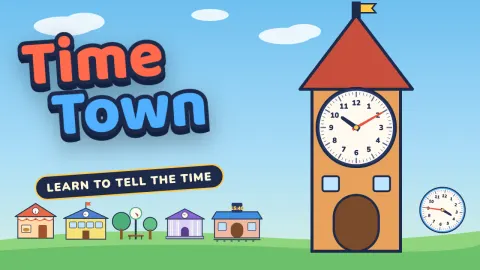
Time Town
Time Town
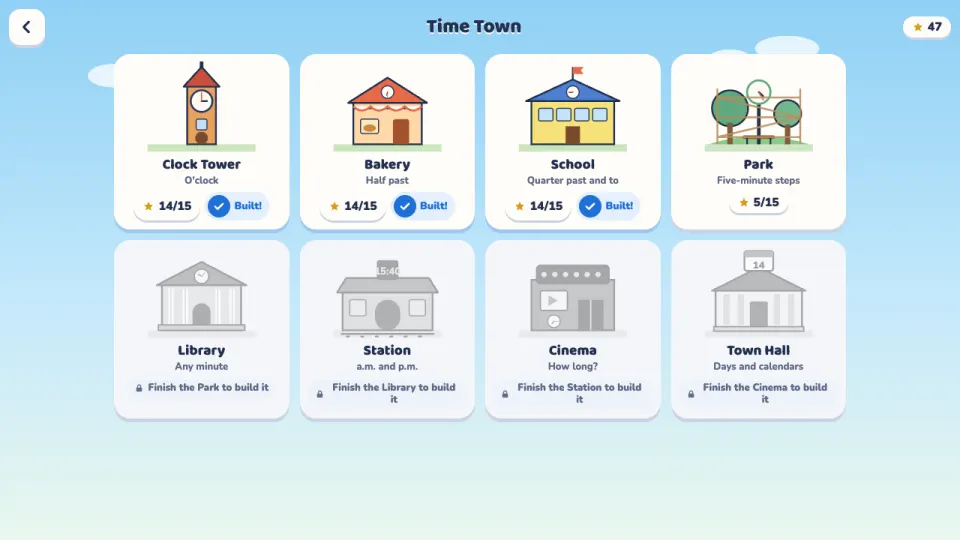
Time Town is a game for learning to tell the time, free in your browser on computer and phone. It is a little town that runs on clocks, and each of its eight places teaches one way of reading them: the Clock Tower is o'clock, the Bakery half past, the School quarter past and quarter to, the Park five-minute steps and the Library any minute. Get a star in all five levels of a place and it is built, which opens the next one.
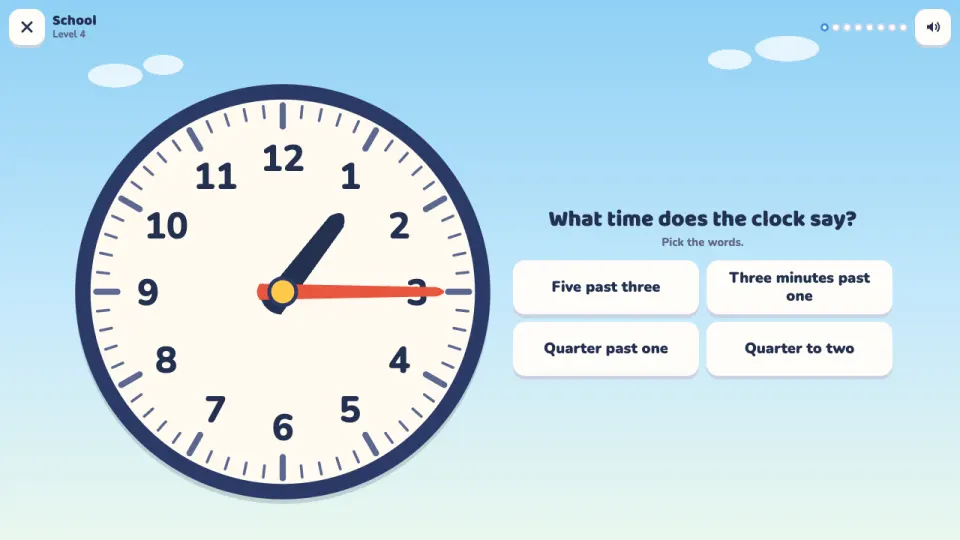
The questions change as you go. Read a clock and pick the time, in digits or in words, or type it in. Set a clock yourself by dragging the long hand round while the short hand follows. Match three clocks to three times. At the Station you learn a.m. and p.m., at the Cinema you work out how long things take from little town stories, such as a bus that leaves at 3:40 and rides for 25 minutes, and at the Town Hall you count days of the week and read a real calendar.
A wrong answer is never the end. You get a short hint and another try, and Show me turns the hands to the answer and explains it step by step. Practice lets you work on any skill with no stars and no hurry, the Daily clock challenge has ten questions that are the same for everyone each day,, and the Clock Lab is a big clock to play with.
How to play Time Town
- Press Play to start the next level, or open Town and tap a place to see its five levels. The first level of each place starts with a short Learn card with example clocks.
- Read the question at the top. Some questions show a clock and ask what time it is: tap one of the answers, or type the hours and minutes on the number keys.
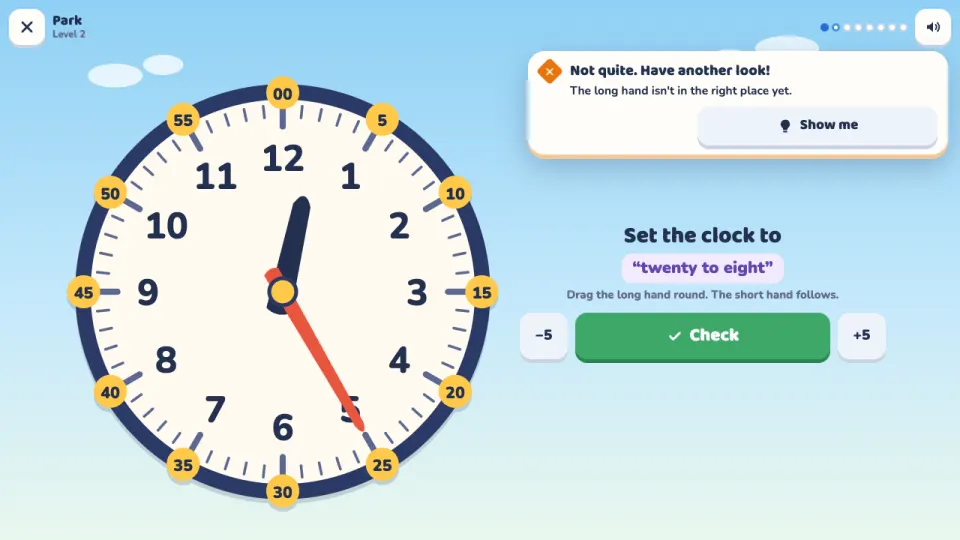
- When asked to set the clock, drag the long hand round to the right minute. The short hand moves with it; drag the short hand to jump whole hours. Then press Check.
- For match questions, tap a clock and then the time that goes with it, until all three are paired.
- If an answer is not right, read the hint and try again, or tap Show me to watch the clock show the answer and explain why.
- Finish all 8 questions to get up to 3 stars. Get a star on all five levels of a place to build it and open the next place in town.
Controls
- Computer
- Click an answer, or drag the clock's hands with the mouse. Arrow keys move a selected clock by one step and Page Up and Page Down by an hour. Type times with the number keys, Backspace and Enter. Esc leaves a level and M turns the sound on or off.
- Phone and tablet
- Tap an answer, or drag the clock's hands with your finger. Use the on-screen number keys to type a time. Works in portrait and landscape.
Features
- Eight places to build, each with five levels: o'clock, half past, quarter past and to, five-minute steps, any minute, a.m. and p.m., how long things take, and days and calendars
- Read clocks, type the time, set the hands by dragging them, and match clocks to times
- Show me turns the hands to the answer and explains it step by step, with the minute numbers shown
- Town stories about buses, trains, films and baking that practise elapsed time
- Practice mode for any skill, with no stars and no time limit
- A Daily clock challenge with ten questions, the same for everyone each day, with a best score and a day streak
- A Clock Lab to play with the hands and see the time in digits and words
- Up to 3 stars per level and six clock faces to unlock with stars
Tips
- Look at the short hand first: it tells you the hour. If it is between two numbers, the hour is the number it has already passed.
- Each number on the clock is 5 minutes for the long hand, so count in fives: 1 is 5, 2 is 10, 3 is 15. For any minute, count in fives to the number before the long hand, then add the small marks.
- When the long hand is past the 6, the time is often said as minutes to the next hour: 3:40 is twenty to four.
- For how-long questions, count on to the next o'clock first, then add the rest: from 3:40 to 4:05 is 20 minutes and then 5 more.
- When setting the clock, drag the long hand round the face and watch the short hand move. The plus and minus buttons next to Check move it by one step for fine tuning.
- Stars depend on getting answers right the first time. If a level felt tricky, try it again in Practice and come back for 3 stars.
Time Town FAQ
Is Time Town free?
Yes. Time Town is free to play in your browser, with no download and no ads.
What age is Time Town for?
It is made for children from about 6 to 11 who are learning to tell the time, and it is fine for adults who want to practise too.
What does Time Town teach?
Reading analog clocks from o'clock and half past to any minute, quarter past and quarter to, a.m. and p.m., working out how long things take, and the days of the week and calendars.
What happens if I get an answer wrong?
You get a short hint and can try again. Show me turns the clock's hands to the right answer and explains it, and you can always finish the level.
How do I get 3 stars?
Answer all 8 questions in a level right the first time. One or two misses give 2 stars, and finishing the level always gives at least 1.
What is the Daily clock challenge?
Ten questions over every skill, the same for every player each day, changing at midnight UTC. Quick answers that are right the first time score the most points.
Does Time Town work on my phone?
Yes. It works on phones and tablets in portrait and landscape, as well as on computers with a mouse or keyboard.
How do I keep my progress on another device?
Sign in with a free 2xGames account and your stars, skills and clock faces are saved to your account and follow you to any device.
More games like this