Coin Corner
Coin Corner
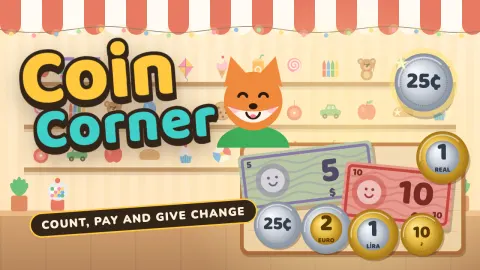
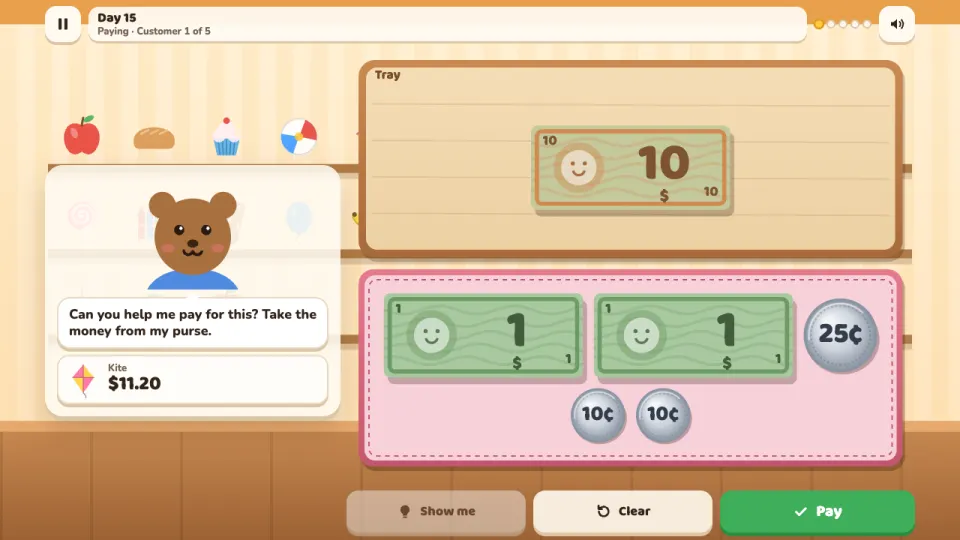
Coin Corner is a money game for children, free in your browser on computer and phone. You run a little corner shop, and animal customers come to the counter needing help with money: which coin is 10 cents, how much is this handful, put 37 cents in the tray, pay for a kite from my purse, can I afford this, give me my change.
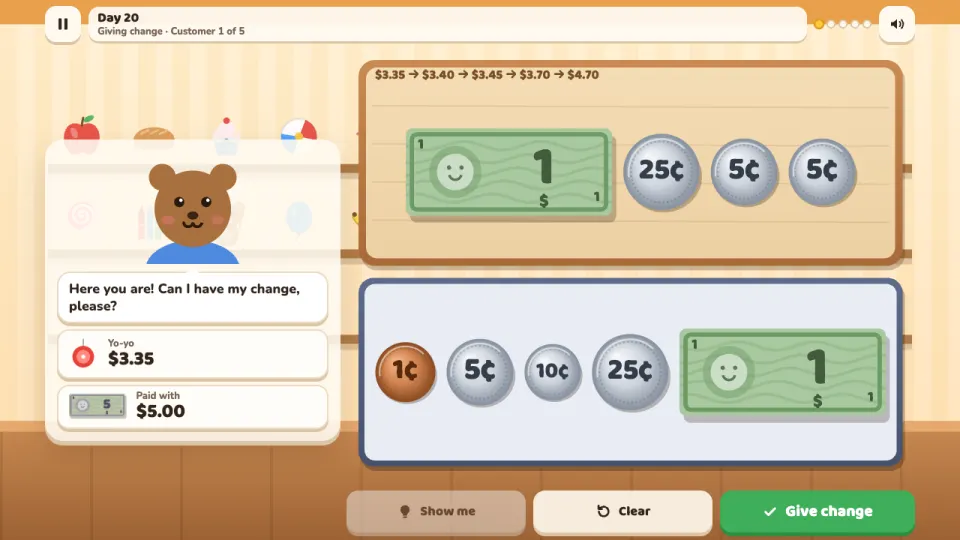
The shop runs on a skill path of 27 days, three for each of nine skills: coins and notes, counting coins, making amounts, the fewest coins, paying, can I afford it, giving change by counting up, adding two prices and spending a budget. Every currency has its real coins and notes, drawn as friendly coins with the value written large and in their real sizes and colours, so a dime is smaller than a penny and a two euro coin is silver around a gold middle. English plays with dollars and cents, Spanish, German and French with euros, Portuguese with Brazilian reais, Russian with roubles and Turkish with lira and kuruş, and the settings can switch the money.
A wrong amount is never just marked wrong: the tray is counted out loud on screen, coin by coin, and Show me puts the right money in step by step. There is also an endless Practice mode for each skill, a calm daily challenge and a Money Box to play with. Stars open upgrades for the shop. It suits children from about 6 to 11.
How to play Coin Corner
- Press Open the shop to start the next day. A new skill opens with a card of tips.
- Read what the customer asks in the speech bubble. The price, the amount to make or the money you were given is shown under it.
- Tap a coin or note in the till to put it in the tray, or drag it there. Tap a coin in the tray to take it back.
- Press Done, Pay or Give change. For change, count up from the price: the tray shows the count as you add coins.
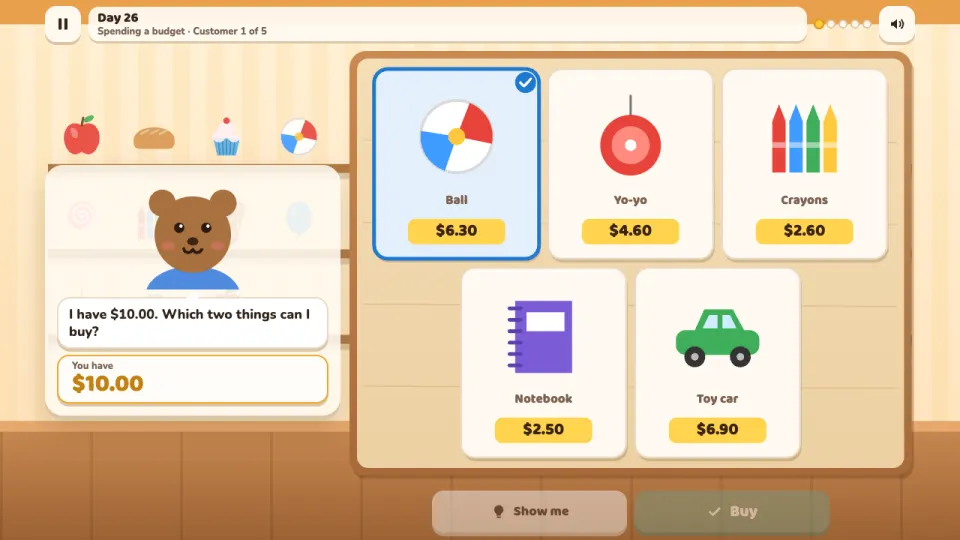
- Some customers ask a question: tap the right amount, Yes or Not enough, or two things you can buy and then Buy.
- If it is not right yet, watch the money being counted, then try again or press Show me.
- Serve every customer right the first time for 3 stars. A star opens the next day.
Controls
- Computer
- Click a coin or note to put it in the tray, or drag it there. Click a coin in the tray, or drag it out, to take it back. Click coins on the counter to count them. Enter presses Done, Pay, Give change or Buy, the keys 1 to 4 pick an answer, Backspace takes the last coin back, Esc pauses and M turns the sound on or off.
- Phone and tablet
- Tap a coin or note to put it in the tray, or drag it with your finger. Tap a coin in the tray to take it back. Tap coins on the counter to count them, and tap the big answer buttons. Works in portrait and landscape.
Features
- 27 shop days on a path of nine money skills, from naming coins to spending a budget
- Real coins and notes of five currencies: US dollar, euro, Brazilian real, Russian rouble and Turkish lira, in their real sizes and colours
- Tap or drag money into the tray, with purses, change from a note and price tags
- Every wrong amount counted out loud on screen, and a Show me button that does it step by step
- Amounts written and said the way each language says them, with an optional read-aloud voice
- Endless Practice for every skill, a daily challenge with no clock and a free Money Box with a coin book
- Up to 3 stars a day and nine shop upgrades such as an awning, a shop cat and a gumball machine
- Playable in seven languages, with no ads and no chat
Tips
- When you count a handful, start with the coin worth the most and count on from there. Tap each coin as you count it so none is counted twice.
- Big coins are not always worth more: a dime is smaller than a nickel but worth twice as much. Look at the number on the coin.
- For the fewest coins, use the biggest coin that fits as many times as it fits, then the next one down.
- To give change, count up from the price: small coins first to reach a round amount, then bigger ones until you reach what the customer paid.
- To add two prices, add the whole units first, then the cents, and put them together.
- With a budget, two cheap things are easier to afford. Add the two prices and check the total is not more than the money you have.
Coin Corner FAQ
Is Coin Corner free?
Yes. It is free to play in your browser, with no download and no ads in the game.
What age is Coin Corner for?
It is made for children from about 6 to 11 who are learning about money, starting with naming coins, so younger players can join in too.
Which money skills does it teach?
Recognising coins and notes, counting coins, making an amount, using the fewest coins, paying an exact price, knowing whether you can afford something, giving change by counting up, adding two prices and spending a budget.
Which money does it use?
Each language plays with its usual money: US dollars, euros, Brazilian reais, Russian roubles or Turkish lira. You can switch to any of the five in the settings.
What happens if my child makes a mistake?
Nothing harsh: the money in the tray is counted out loud on screen, the game says how much is missing or too much, and Show me shows how to do it step by step. Mistakes only lower the stars for that day.
Does it work on a phone or tablet?
Yes. Everything works by touch, in portrait and landscape, as well as with a mouse and keyboard.
How do I keep my progress on another device?
Sign in with a free 2xGames account and your shop, stars and daily streak are saved to your account and follow you to any device.