Critter Code
Critter Code
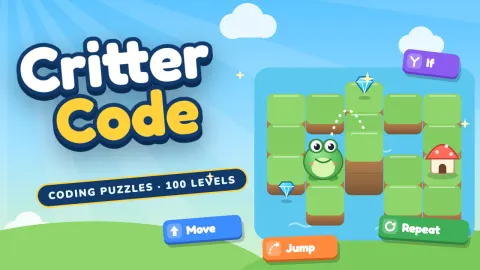
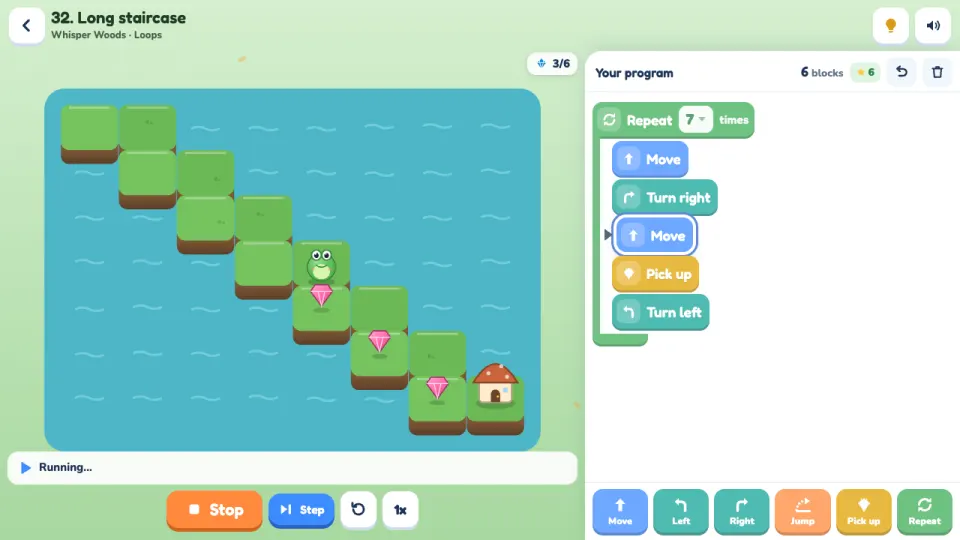
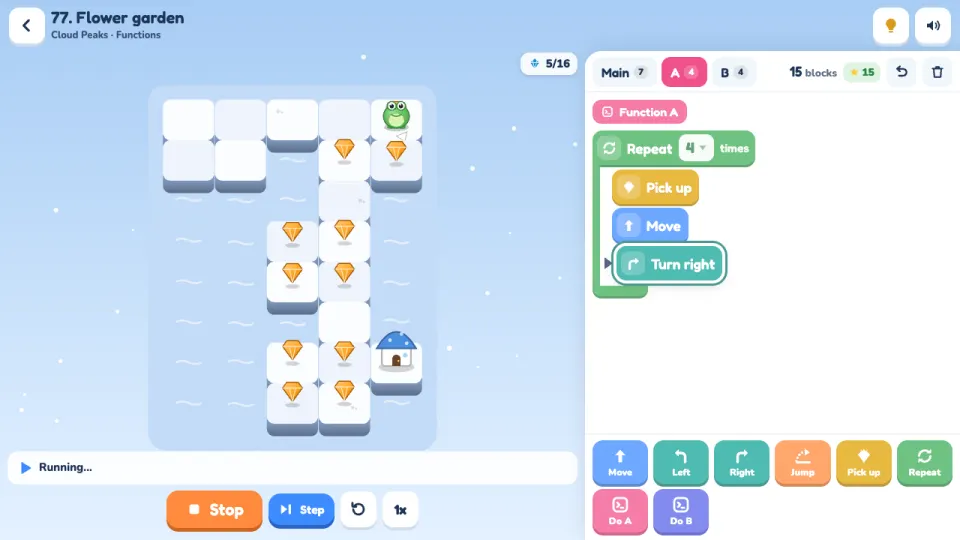
Critter Code is a block coding puzzle, free in your browser on computer and phone. Each level is a little island with gems and a home. Snap blocks into a program (Move, Turn left, Turn right, Jump, Pick up), press Run and watch your critter follow it one block at a time, with the running block lit up. If it walks into the water or bumps a step, it stops and tells you why, so you can change a block and try again.
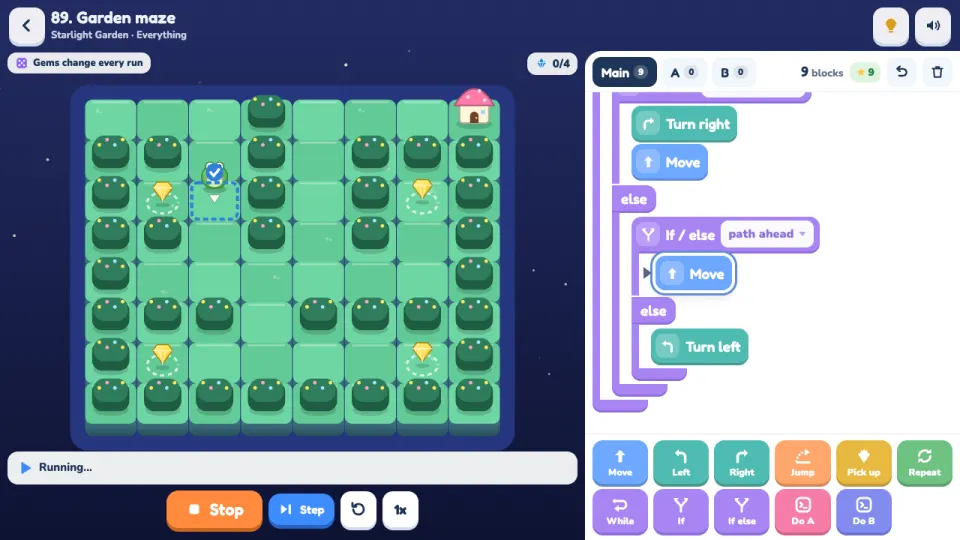
There are 100 levels in five worlds, each built around one idea: sequences in Sunny Meadow, Repeat loops in Whisper Woods, While, If and If / else in Crystal Caves, functions in Cloud Peaks, and everything together in Starlight Garden. From the caves on, many places change every run, with a different layout or gems that may or may not be there, so a program only counts when it works every time. That is exactly what conditions are for.
Every level has a target number of blocks for three stars, so there is always a neater program to find. It is made for children of about 6 to 12 and is just as satisfying for adults. Hints, a Block guide and a Show me button help when someone is stuck, and new critters and themes unlock as you level up.
How to play Critter Code
- Press Play. A card explains each new block the first time you meet it.
- Drag blocks from the palette into your program, or tap a block to add it where the pink caret is. Drop blocks into the gap inside Repeat, While and If to put them inside.
- Press Run. Your critter does the blocks from the top. Press Step to run one block at a time and watch each check.
- Walk onto every gem and use Pick up, then reach the little house. The level is solved the moment your critter is home with all the gems.
- Use fewer blocks for more stars: par or fewer blocks earns three. Loops, conditions and functions (Do A, Do B) make programs shorter.
- Stuck? Tap the bulb for a hint. After three tries, Show me runs a program that works, and you can come back later to solve it yourself for more stars.
Controls
- Computer
- Drag blocks with the mouse, or click a palette block to add it at the caret. Click a block in your program to select it, then the x removes it; drag a block onto the palette to remove it too. Click a Repeat number or a check to change it. Enter runs or stops, S steps, R resets, 1 to 9 add blocks, Backspace removes, arrow keys move the caret, Ctrl+Z undoes and H shows the hint.
- Phone and tablet
- Tap a palette block to add it, or drag it into your program. Hold a block in your program for a moment to pick it up and move it, or drag it down onto the palette to remove it. Tap a block to select it and tap the x to remove it. Works in portrait and landscape on phones and tablets.
Features
- 100 coding puzzles in five worlds: sequences, loops, conditions, functions and a final world that mixes them all
- Blocks for Move, Turn, Jump, Pick up, Repeat (with loops inside loops), While, If, If / else and two functions, A and B
- Six checks for conditions: path ahead, no path ahead, path on left, path on right, gem here and not home yet
- Places that change every run, so programs must really work, plus a warning when a program only worked by luck
- A block target on every level for three stars, with a cheer when you beat it
- Hints, a Block guide with examples, step-by-step running and a Show me button for anyone who is stuck
- Eight critters to play as and six themes, most of them unlocked as you level up
- No timers, lives or penalties, with progress saved on your device or in a free 2xGames account
Tips
- Pretend to be the critter. Turn left and Turn right depend on which way it faces, so when it walks down the screen, its left is your right.
- The run stops as soon as your critter is home with every gem, so a Repeat can count a little higher than the path needs when the last pass ends at home.
- Jump is only for steps and puddles. It hops up one step, down any number of steps, or over one puddle; on flat ground use Move.
- When the bulb hint is not enough, press Step. Each check shows a blue tick or an orange cross on the tile it looked at, so you can see why your program chose a branch.
- For the mazes, keep a wall on your right: if there is a path on the right, turn right and move, else move if you can, else turn left.
- Functions pay off when the same trick appears in different places, such as a pocket on both sides of a path. Function B can even use A.
Critter Code FAQ
Is Critter Code free?
Yes. Critter Code is free to play in your browser on a computer, phone or tablet, with nothing to download.
What age is Critter Code for?
It is designed for children of roughly 6 to 12, with big readable blocks and short words, and older players and adults enjoy finding the shortest programs.
Does my child need to know how to code or read well?
No. The first levels need only Move and Turn, every block has an icon and a short label, and a card with an example explains each new block when it first appears.
What does Critter Code teach?
The core ideas of programming: putting steps in order, loops with Repeat, decisions with While, If and If / else, functions that you write once and reuse, and debugging by watching a program run one block at a time.
What happens if my child gets stuck?
The bulb shows a hint for every level. After three tries a Show me button runs a working program, and the level counts with one star so they can return and solve it alone for more.
Does Critter Code work on a phone or tablet?
Yes. Blocks can be dragged by touch or simply tapped, and the game works in portrait and landscape as well as on desktop computers.
Is there a chat or anything that collects personal information?
No. There is no chat in the game and it asks for no personal details. Progress is saved on your device, or in a 2xGames account if you choose to sign in.
How do I keep my progress on another device?
Sign in with a free 2xGames account and your stars, programs and unlocked critters are saved to your account and follow you to any device.
More games like this