Nonogram Nook
Nonogram Nook
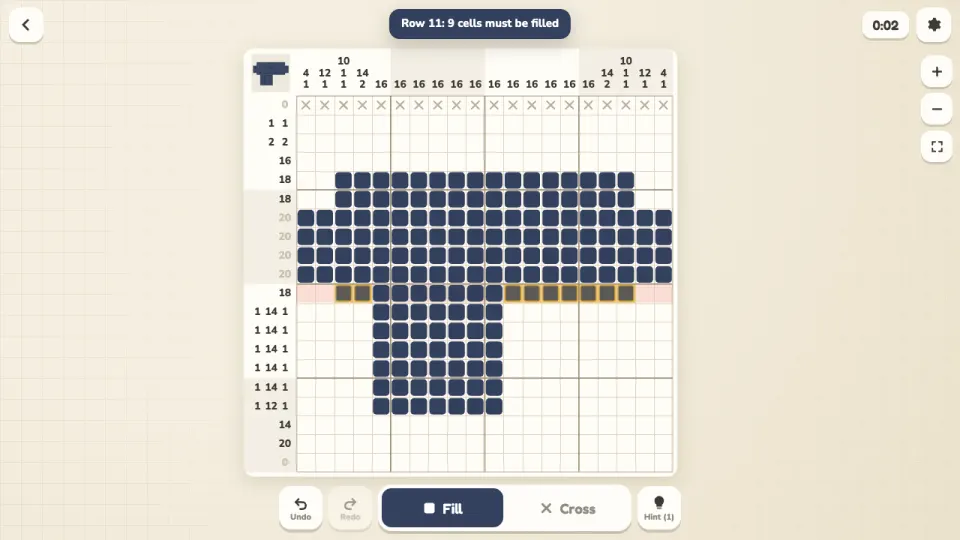
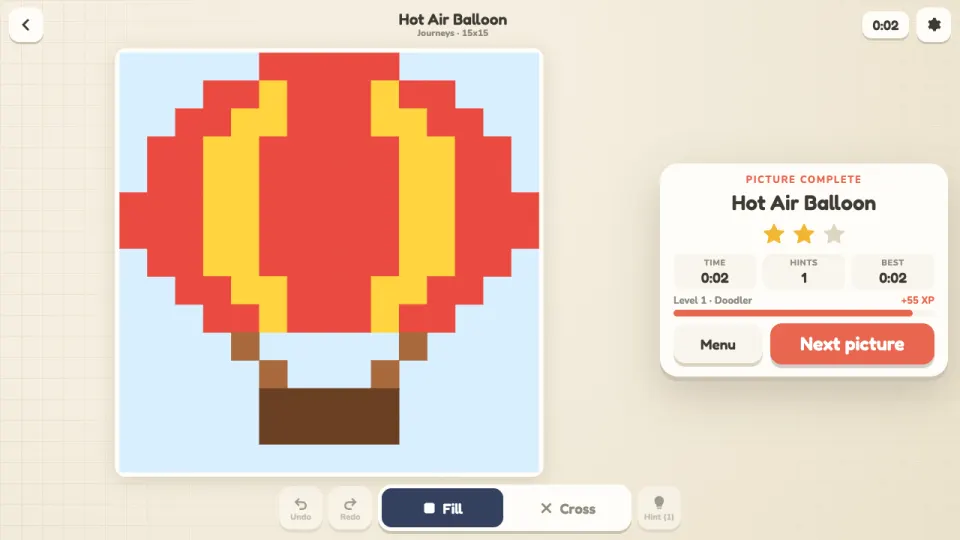
Nonogram Nook is a calm picture logic game, free in your browser on computer, tablet and phone. Every row and column has a clue: the lengths of the runs of filled cells in that line, in order. Fill the cells the clues force, cross out the ones they rule out, and when the grid matches every clue the picture appears in full colour.
There are 162 hand-drawn pictures in nine packs, from tiny 5x5 Seedlings through animals, food, seasons, tools and journeys to the 20x20 Grand Gallery. New packs open as you paint. Every puzzle has exactly one solution, and you can always reach it with logic one line at a time, so you never have to guess.
Each day brings a new Daily Mosaic, the same for everyone, and Mosaics gives you endless generated patterns at 10x10, 15x15 or 20x20. Earn up to three stars per picture, collect your finished art in the Gallery, level up and unlock ten board themes.
How to play Nonogram Nook
- Open Pictures and pick a pack, then tap a puzzle. Seedlings, with 5x5 pictures, is the place to start.
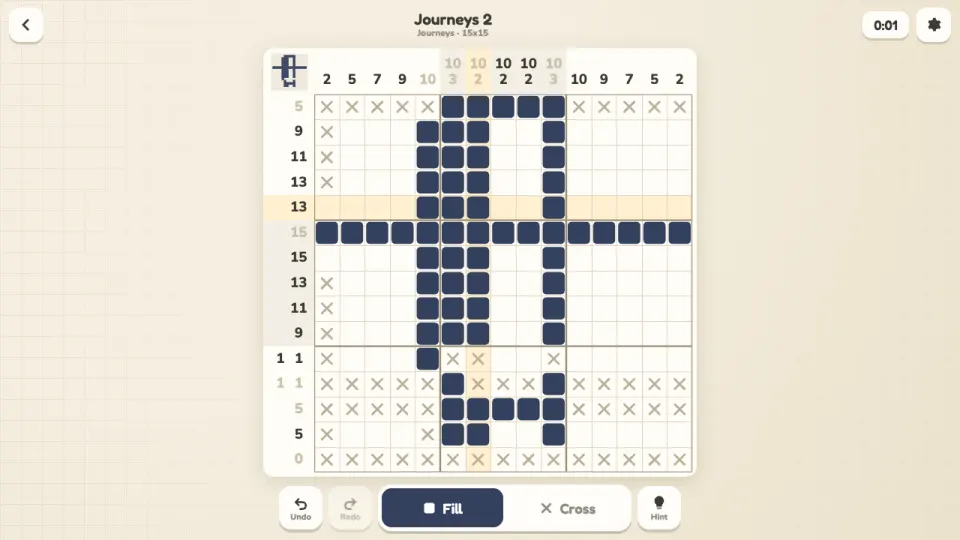
- Read the clues: 3 1 next to a row means three filled cells together, then at least one empty cell, then one more filled cell.
- Tap a cell to fill it, or drag to paint a run along a row or column. Switch to Cross to mark cells you know are empty.
- Look for overlaps: a 4 in a line of 5 always covers the middle three cells, wherever it sits. Each cell you settle helps the lines that cross it.
- Clue numbers grey out when their run is complete. Fill the grid so every row and column matches its clue to reveal the picture in colour and earn your stars.
Controls
- Computer
- Click a cell to fill it and drag to paint a whole run along one row or column. Right-click or right-drag to cross out cells. Keyboard: arrow keys move, Space fills, X crosses, Z undoes, Y redoes, H opens hints, + and - zoom. On big boards, Ctrl and the mouse wheel zoom and the wheel scrolls.
- Phone and tablet
- Tap a cell to fill it, or drag along a row or column to paint several at once. Switch between Fill and Cross at the bottom of the screen. On big boards, pinch or use the + and - buttons to zoom, and move around with two fingers. The clues stay pinned to the edges while you zoom.
Features
- 162 original pictures in nine packs: Seedlings, Pocket Things, Critters, Pantry, Seasons, Workshop, Wildlife, Journeys and the Grand Gallery
- Boards from 5x5 to 20x20, and every puzzle checked to have one solution you can reach without guessing
- A Daily Mosaic for everyone each day, with a streak, plus endless Mosaics at 10x10, 15x15 and 20x20
- Hints that show the next logical step or reveal a row or column you choose, with undo and redo
- Optional mistake checking, and finished lines that cross off their empty cells for you
- Zoom and pan for big boards, with clues pinned to the edges and a preview of the whole picture
- Up to three stars per picture, XP levels, a Gallery of finished art and ten unlockable board themes
- A game in progress is saved for every puzzle, so you can stop and pick it up later
Tips
- Start with the big numbers. A run longer than half the line always covers its middle cells, so you can fill those straight away.
- Add up a clue: its numbers plus one gap between each pair. If that equals the line length, like 3 1 5 in a line of 11, the whole line is settled.
- Crosses matter as much as fills. Marking cells you know are empty is often what unlocks the next row or column.
- Watch the clue numbers grey out from the ends. A grey number's run is closed off, so work on the numbers that are still dark.
- The bold lines every five cells make counting easier on big boards, and the preview in the top corner shows the whole picture taking shape.
- Stuck? Show a step fills in the next cells logic gives and names the row or column, at the cost of one star. A picture always keeps at least one star.
Nonogram Nook FAQ
Is Nonogram Nook free?
Yes. All 162 pictures, the Daily Mosaic and the endless Mosaics are free to play in your browser, with nothing to download.
What is a nonogram?
A nonogram, also called a griddler, hanjie or paint by numbers puzzle, is a grid where the numbers by each row and column tell you the runs of filled cells in that line. Filling the grid correctly reveals a picture.
Do I ever need to guess?
No. Every picture and mosaic is checked to have exactly one solution that you can reach by working out one row or column at a time.
How many puzzles are there?
There are 162 pictures in nine packs, from 5x5 to 20x20, a new Daily Mosaic every day and endless generated Mosaics in three sizes.
When does the daily puzzle change?
A new Daily Mosaic starts at midnight UTC and is the same for every player. It is 10x10 early in the week, 12x12 midweek and 15x15 at the weekend.
Can I play nonograms on my phone?
Yes. Nonogram Nook works on phones and tablets. Tap and drag to paint, switch between Fill and Cross, and pinch to zoom on the bigger boards.
How are stars counted?
You start each picture with three stars and lose one for each hint, or for each mistake caught when Show mistakes is on. You always keep at least one.
How do I keep my progress on another device?
Sign in with a free 2xGames account. Your pictures, stars, themes and puzzles in progress then follow you to every device.