Typing Dance
Typing Dance
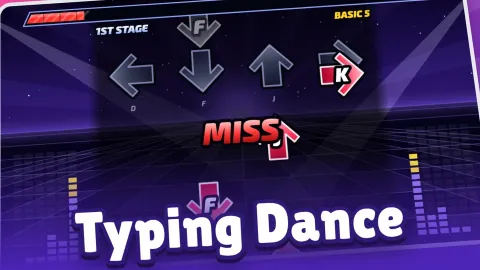
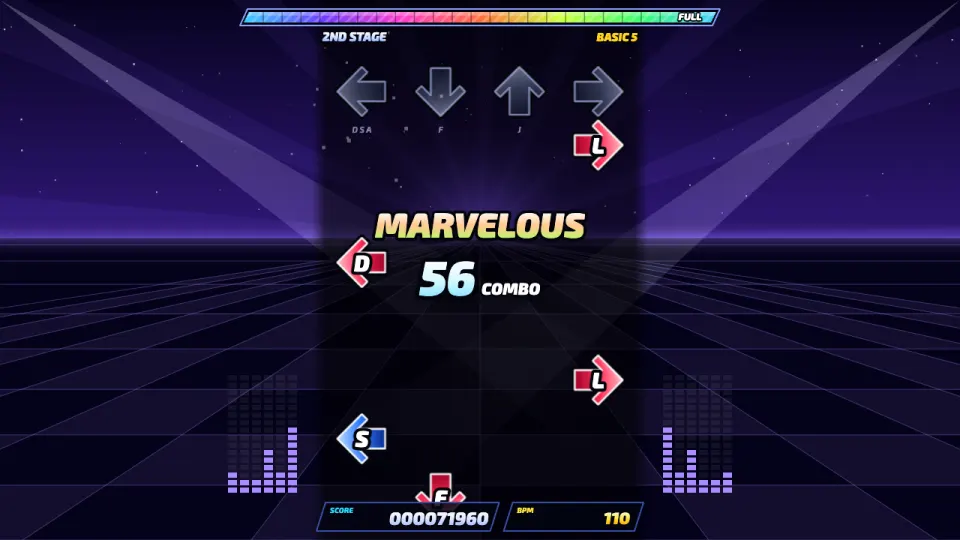
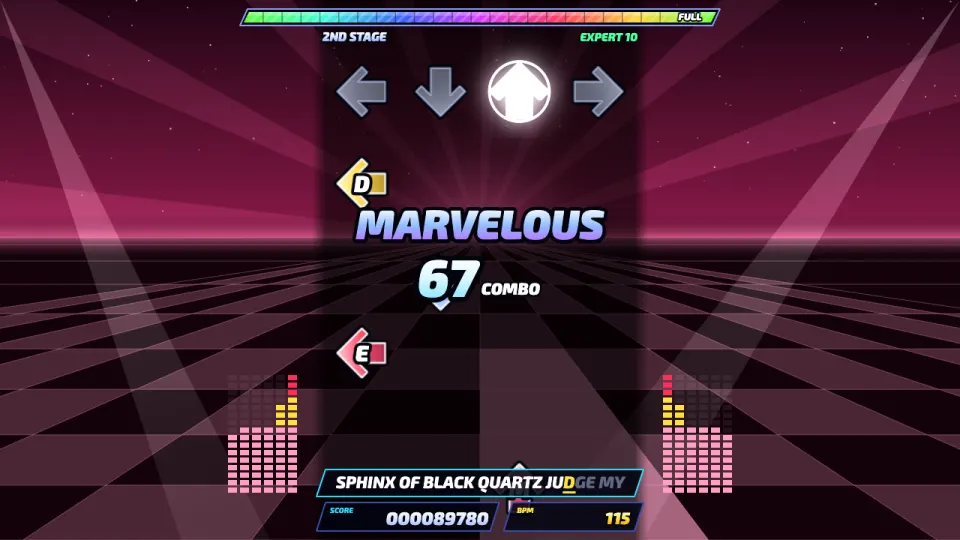
Typing Dance is a rhythm game for your keyboard, free in your browser. Arrows rise up the screen, each carrying a letter, and you type that letter the moment it reaches the target row at the top. The closer you are to the beat, the better the judgment, from Marvelous and Perfect down to Boo and Miss, and the longer your combo grows.
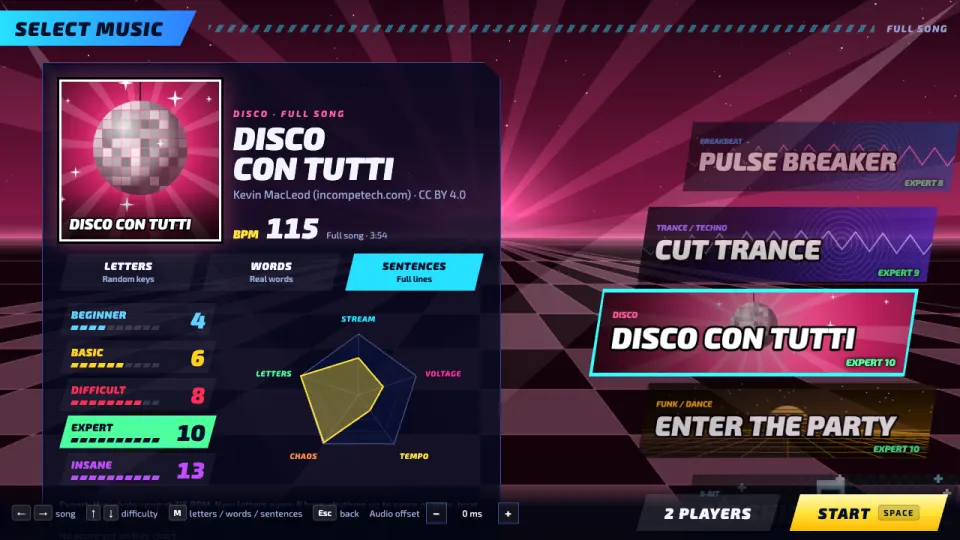
Play five full dance songs by Kevin MacLeod, from trance and disco to 8-bit, or four endless synthesized tracks that speed up with every stage until your life runs out. Every 8 bars a new stage begins and new letters join in. Choose one of five difficulties, from Beginner on the home row to Insane, and one of three text modes: random letters, real words, or whole sentences on the full keyboard.
Want a challenge? Open 2 Players, make a room and invite a friend with a link, or click Invite next to someone in the lobby. You play the same chart side by side, and the higher score wins. Every chart has its own leaderboard.
How to play Typing Dance
- Press 1 Player for solo songs, or 2 Players for a head-to-head match online.
- Choose a song, a difficulty and a text mode (letters, words or sentences), then press Start.
- Watch the arrows rise. When one reaches the grey row at the top, type the letter on it.
- Hit close to the beat for Marvelous or Perfect. These fill your life gauge, while Boo, Miss and wrong letters drain it.
- Clear a full song by reaching the end with life left. Endless songs keep going, faster every stage, until your life runs out.
- Your grade, from AAA down to D, comes from your accuracy. Beat your best and climb the chart's leaderboard.
Controls
- Computer
- Type the letter on each arrow when it reaches the top row. On the music screen, left and right arrows choose a song, up and down choose a difficulty, M switches between letters, words and sentences, and Space starts. Esc pauses a solo game.
- Phone and tablet
- Typing Dance is made for a keyboard. On a tablet or phone a Bluetooth keyboard works best; tapping the play field during a song opens the on-screen keyboard.
Features
- Five full songs by Kevin MacLeod: Cut Trance, Disco con Tutti, Enter the Party, Bit Shift and Shiny Tech
- Four endless synthesized songs (Neon Arcade, Sunset Disco, Bit Hero and Pulse Breaker) that speed up every stage
- Five difficulties: Beginner, Basic, Difficult, Expert and Insane
- Three text modes: random letters, real words and full sentences
- Judgments from Marvelous (within 30 ms) to Miss, combos worth up to triple points, grades from AAA to D and EX score
- Online 1v1 versus with invite links, a lobby with players online and chat
- A leaderboard for every song, difficulty and text mode, plus player profiles with win and loss records
- An audio offset setting for Bluetooth headphones and other delay
Tips
- Keep your fingers on the home row and watch the arrows, not your hands. The lane shows which hand types the letter: left lanes for the left hand, right lanes for the right.
- Arrow colours show where a note sits in the beat: red is on the beat, blue a half beat and yellow a quarter beat.
- Points grow with your combo, up to triple points at a 200 combo, so an unbroken run is worth far more than a few extra hits.
- Typing a wrong letter while an arrow is close breaks your combo, so don't mash keys when you're unsure.
- If your hits keep showing EARLY or LATE by the same amount, adjust the audio offset on the music screen. Bluetooth headphones often need +100 to +200 ms.
- Start on Beginner or Basic: they begin with the home row and add letters stage by stage, so you learn the keyboard as you go.
Typing Dance FAQ
Is Typing Dance free?
Yes. All songs, difficulties and modes are free to play in your browser, with nothing to download.
Can I play Typing Dance with a friend?
Yes. On the 2 Players screen, enter a name, create a room and send the invite link. The host picks the song, difficulty and text mode, both players press Ready, and you play the same chart side by side.
Does Typing Dance help you learn to type?
It trains you to find keys without looking. Beginner and Basic start on the home row and add new letters every stage, and Words and Sentences modes have you type real text in rhythm.
What do Marvelous and Perfect mean?
They are timing judgments. Marvelous is within 30 milliseconds of the beat and Perfect within 60; then come Great, Good, Boo and Miss.
Does Typing Dance work on my phone?
It needs a keyboard. On a tablet or phone, connect a Bluetooth keyboard, or tap the play field to bring up the on-screen keyboard.
Why are my hits always early or late?
Some headphones and speakers add a delay. Change the audio offset on the music select screen until your hits land on time.
How do I keep my scores on another device?
Sign in with a free 2xGames account. You then play under your 2xGames username, and your best scores and versus record follow you to every device.